


title: EU AI Act Compliance Agent by legitima.ai
emoji: ⚖️
colorFrom: blue
colorTo: indigo
sdk: docker
pinned: true
tags:
  - building-mcp-track-enterprise
  - mcp-in-action-track-enterprise
  - modal-infernce
  - gemini
  - claude
  - gpt-apps
  - gradio-app
  - gradio-mcp
  - gradio-chatgpt-app
  - gpt-oss
short_description: AI-powered EU AI Act compliance assessment with MCP tools
🇪🇺 EU AI Act Compliance Agent by legitima.ai powered by decode
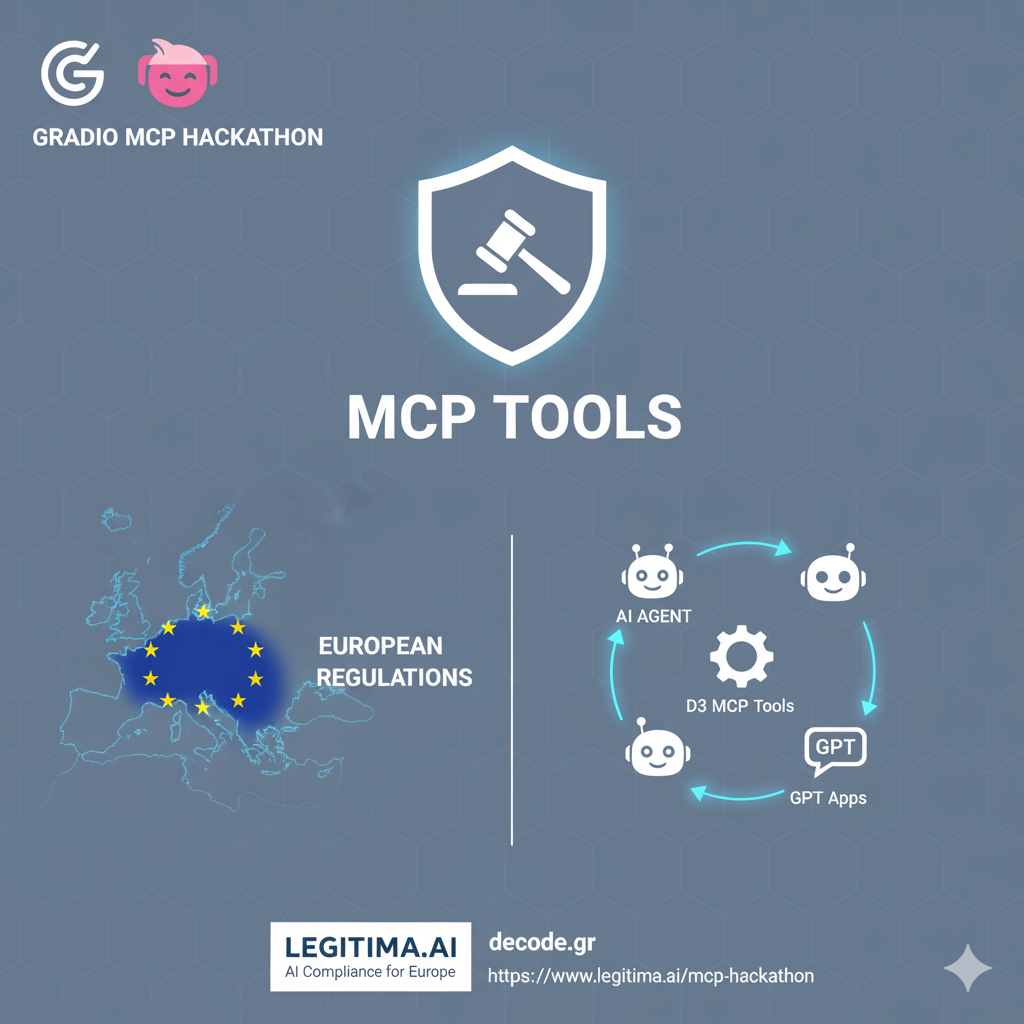
🎂 Built for the MCP 1st Birthday Hackathon
🔗 Live Demo & Showcase - See MCP tools and agent capabilities in action!
An interactive AI agent with Gradio UI for navigating EU AI Act compliance requirements, powered by Vercel AI SDK v5 and the EU AI Act MCP Server. This project demonstrates enterprise-grade MCP tool integration with multi-model AI capabilities for regulatory compliance assessment.
📑 Table of Contents
- 🎯 Hackathon Submission
- 🏗️ Architecture
- 🔌 MCP Tools Integration
- ✨ Features
- 🚀 Getting Started
- 🚀 How to Use in ChatGPT
- 📖 Usage Examples
- 🔧 Configuration
- 🛠️ Development
- 📚 API Reference
- 🧪 Testing
- 🎯 Tech Stack
🎯 Hackathon Submission
Track 1: Building MCP ✅ | Track 2: MCP in Action ✅
This submission showcases:
- Custom MCP Server with 3 specialized tools for EU AI Act compliance
- Enterprise-grade Agent using Vercel AI SDK v5 with intelligent tool orchestration
- ChatGPT Apps Integration - Deploy as a connector to use tools directly in ChatGPT (Live MCP Server)
- Multi-model Support - 6 AI models including free GPT-OSS via Modal.com
- Real-world Application - Solving critical regulatory compliance challenges
- Production-ready Architecture - Gradio UI + Express API + MCP Protocol
🔗 Demo & Showcase: www.legitima.ai/mcp-hackathon 📹 Video: Guiddes 📱 Social Media: LinkedIn Post 1
🏗️ Architecture
┌─────────────────────────────────────────────────────────┐
│                    Gradio Web UI                        │
│         (Python - Interactive Chat Interface)           │
│              Real-time streaming responses              │
└────────────────────┬────────────────────────────────────┘
                     │ HTTP/REST
                     ▼
┌─────────────────────────────────────────────────────────┐
│              Express API Server                         │
│         (Node.js + Vercel AI SDK v5)                    │
│   ┌─────────────────────────────────────────────────┐   │
│   │  AI Agent with Intelligent Tool Orchestration    │   │
│   │  - Multi-model support (6 models)                │   │
│   │  - Streaming responses                          │   │
│   │  - Contextual awareness                         │   │
│   │  - Automatic tool selection                     │   │
│   └─────────────────────────────────────────────────┘   │
└────────────────────┬────────────────────────────────────┘
                     │ MCP Protocol
                     ▼
┌─────────────────────────────────────────────────────────┐
│         EU AI Act MCP Server (@eu-ai-act/mcp)          │
│   ┌─────────────────────────────────────────────────┐  │
│   │  Tool 1: discover_organization                   │  │
│   │  • Tavily-powered web research                   │  │
│   │  • Company profiling & AI maturity              │  │
│   │  • Regulatory context discovery                 │  │
│   └─────────────────────────────────────────────────┘  │
│   ┌─────────────────────────────────────────────────┐  │
│   │  Tool 2: discover_ai_services                    │  │
│   │  • AI systems inventory                         │  │
│   │  • Risk classification (4 tiers)                 │  │
│   │  • Compliance status tracking                   │  │
│   └─────────────────────────────────────────────────┘  │
│   ┌─────────────────────────────────────────────────┐  │
│   │  Tool 3: assess_compliance                      │  │
│   │  • AI-powered gap analysis                      │  │
│   │  • Multi-model assessment (5 models)            │  │
│   │  • Documentation generation                     │  │
│   └─────────────────────────────────────────────────┘  │
└─────────────────────────────────────────────────────────┘
🔌 MCP Tools Integration
This agent leverages a custom MCP server (@eu-ai-act/mcp-server) that provides three specialized tools for EU AI Act compliance:
1. discover_organization 🏢
- Purpose: Discover and profile organizations for compliance assessment
- Features:
- Tavily AI-powered web research for real company data
- AI maturity level assessment (Nascent → Expert)
- Regulatory context discovery (GDPR, ISO certifications)
- EU presence and jurisdiction analysis
- Compliance deadline tracking
- EU AI Act References: Articles 16, 17, 22, 49
2. discover_ai_services 🤖
- Purpose: Inventory and classify AI systems according to EU AI Act risk tiers
- Features:
- Automated risk classification (Unacceptable/High/Limited/Minimal)
- Annex III category identification
- Conformity assessment requirements
- Technical documentation status tracking
- Post-market monitoring compliance
- EU AI Act References: Articles 6, 9, 10, 11, 12, 14, 43, 47, 48, 49, 72
3. assess_compliance ⚖️
- Purpose: AI-powered compliance assessment with gap analysis and documentation generation
- Features:
- Multi-model AI assessment (Claude 4.5, Claude Opus, GPT-5, Grok 4.1, Gemini 3 Pro)
- Comprehensive gap analysis with Article references
- Priority-based recommendations
- Auto-generated documentation templates:
- Risk Management System (Article 9)
- Technical Documentation (Article 11 / Annex IV)
- EU AI Act References: Articles 9-17, 43, 49, 50, Annex IV
📚 Full MCP Tools Documentation: See packages/eu-ai-act-mcp/README.md for complete tool schemas, input/output formats, and usage examples.
💬 Use in ChatGPT: The MCP server is deployed and ready to use as a ChatGPT App connector at https://mcp-1st-birthday-eu-ai-act-chatgpt-mcp.hf.space/ - see How to Use in ChatGPT section below for instructions.
✨ Features
🤖 Intelligent AI Agent
- Natural Language Interface: Ask questions in plain English - no technical knowledge required
- Contextual Awareness: Maintains full conversation context throughout the session
- Multi-Step Workflows: Automatically orchestrates complex compliance assessments across multiple tools
- Intelligent Tool Calling: Seamlessly invokes MCP tools based on user intent and conversation flow
- Streaming Responses: Real-time AI responses with tool execution visibility
- Multi-Model Support: Choose from 6 AI models including free GPT-OSS (default)
📊 Compliance Capabilities
- Organization Profiling: Discover company structure, AI maturity, and regulatory context using Tavily-powered research
- AI System Discovery: Catalog and classify all AI systems with automated risk tier assignment
- Risk Assessment: Classify systems per EU AI Act (Unacceptable/High/Limited/Minimal) with Article references
- Gap Analysis: AI-powered gap identification with severity ratings, remediation effort estimates, and deadlines
- Documentation Generation: Auto-generate professional compliance templates (Risk Management, Technical Documentation)
- Multi-Model Assessment: Leverage 5 different AI models (Claude, GPT-5, Grok, Gemini) for comprehensive analysis
🎨 Gradio UI
- Chat Interface: Clean, modern chat experience
- Streaming Responses: Real-time AI responses
- Document Preview: View generated compliance documents
- Export Options: Download assessment reports and templates
- Multi-language Support: Available in multiple EU languages
🚀 Getting Started
Prerequisites
- Node.js 18+ and pnpm 8+
- Python 3.9+ with uv (fast package manager)
- Tavily API key (optional) - Get your free API key from app.tavily.com for enhanced web research
- Model selection - Choose one of the following models:
- 🆓 GPT-OSS 20B (Modal.com) - FREE! ✅ DEFAULT MODEL - (⚠️ may take up to 60s to start responding)
- Claude 4.5 Sonnet (Anthropic) -
ANTHROPIC_API_KEYrequired - Faster & more precise - Claude Opus 4 (Anthropic) -
ANTHROPIC_API_KEYrequired - Faster & more precise - GPT-5 (OpenAI) -
OPENAI_API_KEYrequired - Faster & more precise - Grok 4.1 (xAI) -
XAI_API_KEYrequired - Faster & more precise - Gemini 3 Pro (Google) -
GOOGLE_GENERATIVE_AI_API_KEYrequired - Faster & more precise
🆓 Free Default Model: GPT-OSS via Modal.com
GPT-OSS 20B is the default model - no API key required! The agent automatically uses GPT-OSS unless you select a different model in the UI.
| Feature | Details |
|---|---|
| Model | OpenAI GPT-OSS 20B (open-source) |
| Cost | FREE (first $30/month on Modal) |
| Setup | Just provide Modal endpoint URL |
| Performance | ~$0.76/hr when running (A10G GPU) |
| Response Time | ⚠️ May take up to 60s to start (cold start) |
| Default | ✅ YES - Automatically selected |
⚠️ Important: GPT-OSS may take up to 60 seconds to start responding due to Modal.com's cold start behavior. For faster responses and better precision, select another model (Claude, GPT-5, Gemini, or Grok) and provide your API key in the Gradio UI.
See modal/README.md for detailed deployment instructions and GPU options.
Installation
- Install Node.js dependencies:
pnpm install
- Install uv and Python dependencies:
# Install uv (if not already installed)
curl -LsSf https://astral.sh/uv/install.sh | sh

# Install Python dependencies
uv pip install -r requirements.txt
- Set up environment variables:
cp .env.example .env
# Edit .env and add:
# - MODAL_ENDPOINT_URL (for FREE GPT-OSS - DEFAULT MODEL) - Deploy via: cd modal && modal deploy gpt_oss_inference.py
# - TAVILY_API_KEY (optional) - Get from https://app.tavily.com for enhanced web research
# - Model API key (optional - only if not using GPT-OSS):
#   * ANTHROPIC_API_KEY (for Claude 4.5 or Claude Opus)
#   * OPENAI_API_KEY (for GPT-5)
#   * XAI_API_KEY (for Grok 4.1)
#   * GOOGLE_GENERATIVE_AI_API_KEY (for Gemini 3 Pro)
💡 Tip:
- GPT-OSS is FREE and the default - just set
MODAL_ENDPOINT_URLafter deploying to Modal.com- API keys and Modal endpoint can also be entered directly in the Gradio UI
- Keys are securely stored in encrypted browser cookies and auto-expire after 24 hours
- Modal.com offers $30/month free credit - perfect for trying out GPT-OSS!
Running the Agent
Option 1: Run everything together (recommended)
# Terminal 1: Start the Express API server
pnpm dev

# Terminal 2: Start the Gradio UI
pnpm gradio
Option 2: Manual start
# Terminal 1: Start API server
cd apps/eu-ai-act-agent
pnpm dev

# Terminal 2: Start Gradio
cd apps/eu-ai-act-agent
uv run src/gradio_app.py
The Gradio UI will be available at http://localhost:7860 🎉
🚀 How to Use in ChatGPT
The MCP server can be deployed as a ChatGPT App (connector) to use EU AI Act compliance tools directly in ChatGPT conversations!
🌐 Pre-deployed MCP Server: The MCP server is already deployed and available at https://mcp-1st-birthday-eu-ai-act-chatgpt-mcp.hf.space/ - you can use this URL directly as a ChatGPT connector!
Quick Start
Option A: Use the Pre-deployed Server (Recommended)
- Use the deployed MCP server at https://mcp-1st-birthday-eu-ai-act-chatgpt-mcp.hf.space/
- Skip to step 2 below to configure ChatGPT
Option B: Deploy Your Own
Start the ChatGPT App with
share=True:cd apps/eu-ai-act-agent uv run src/chatgpt_app.pyThe app will automatically:
- Create a public URL (via Gradio's share feature)
- Enable MCP server mode
- Display the MCP server URL in the terminal
Enable Developer Mode in ChatGPT:
- Go to Settings → Apps & Connectors → Advanced settings
- Enable Developer Mode
Create a Connector:
- In ChatGPT, go to Settings → Apps & Connectors
- Click Create Connector
- Enter the MCP server URL:
- Pre-deployed:
https://mcp-1st-birthday-eu-ai-act-chatgpt-mcp.hf.space/ - Or your own: The URL from the terminal (e.g.,
https://xxxxx.gradio.live)
- Pre-deployed:
- Name it
eu-ai-act(or your preferred name)
Chat with ChatGPT using the connector:
- In any ChatGPT conversation, type
@eu-ai-actto activate the connector - Ask questions like:
@eu-ai-act Analyze OpenAI's EU AI Act compliance status@eu-ai-act What risk category is a recruitment screening AI?@eu-ai-act Generate compliance documentation for our chatbot
- In any ChatGPT conversation, type
Available Tools in ChatGPT
Once connected, you'll have access to all three MCP tools:
discover_organization🏢 - Discover and profile organizationsdiscover_ai_services🤖 - Inventory and classify AI systemsassess_compliance⚖️ - AI-powered compliance assessment
ChatGPT will automatically call these tools based on your conversation context!
📖 Usage Examples
Example 1: Organization Discovery
You: Analyze OpenAI's EU AI Act compliance status

Agent: I'll help you assess OpenAI's compliance. Let me start by
       discovering their organization profile...

       [Discovering organization details...]
       [Analyzing AI systems...]
       [Assessing compliance gaps...]

       OpenAI operates as a Large Enterprise with Expert AI maturity.
       They have 4 high-risk AI systems requiring conformity assessment...
Example 2: AI System Classification
You: What risk category is a recruitment screening AI?

Agent: Let me check the EU AI Act classification...

       A recruitment screening AI is classified as HIGH RISK per
       Annex III, Section 4(a) - AI systems used for recruitment.

       Requirements include:
       - Conformity assessment (Article 43)
       - Technical documentation (Article 11)
       - CE marking (Article 48)
       - EU database registration (Article 49)
Example 3: Document Generation
You: Generate compliance documentation for our chatbot

Agent: I'll assess your chatbot and generate the required documents...

       [Generated documents]:
       ✓ Risk Management System (Article 9)
       ✓ Technical Documentation (Article 11)

       Your chatbot is classified as Limited Risk. The documentation
       templates are displayed in the chat and saved to the
       compliance-docs directory.
⚠️ Note on Documentation Generation: Currently, only 2 documentation templates are generated:
- ⚡ Risk Management System (Article 9)
- 📋 Technical Documentation (Article 11 / Annex IV)
Additional templates (Conformity Assessment, Transparency Notice, Quality Management System, etc.) are planned but not yet implemented to optimize API costs and response speed during the hackathon demo.
🔧 Configuration
API Server (src/server.ts)
- Port: Configure via
PORTenv var (default: 3001) - Model: Select between 5 models via UI or
AI_MODELenv var - Streaming: Enabled for real-time responses
- CORS: Configured for Gradio origin
- Required Environment Variables:
TAVILY_API_KEY(required for web research)- One of the following (based on model selection):
ANTHROPIC_API_KEY(for Claude 4.5 or Claude Opus)OPENAI_API_KEY(for GPT-5)XAI_API_KEY(for Grok 4.1)GOOGLE_GENERATIVE_AI_API_KEY(for Gemini 3 Pro)
Gradio UI (src/gradio_app.py)
- Theme: Custom EU-themed design
- Chat History: Maintains full conversation context
- Model Selection: Dropdown to select AI model in real-time
- Secure Key Storage: API keys stored in encrypted browser cookies (24h expiry)
- Export: Supports markdown and PDF export (optional)
🛠️ Development
Project Structure
apps/eu-ai-act-agent/
├── src/
│   ├── server.ts           # Express API + Vercel AI SDK agent
│   ├── gradio_app.py       # Gradio web interface
│   ├── agent/
│   │   ├── index.ts        # Agent configuration
│   │   ├── tools.ts        # MCP tool adapters
│   │   └── prompts.ts      # System prompts
│   └── types/
│       └── index.ts        # TypeScript types
├── package.json
├── tsconfig.json
└── README.md
Building for Production
# Build the Node.js server
pnpm build

# Start production server
pnpm start
📚 API Reference
POST /api/chat
Send a chat message to the AI agent.
Request:
{
  "message": "Analyze my organization",
  "history": []
}
Response (Stream):
data: {"type":"text","content":"Let me analyze..."}
data: {"type":"tool_call","tool":"discover_organization"}
data: {"type":"result","data":{...}}
🧪 Testing
Test the agent with sample queries:
curl -X POST http://localhost:3001/api/chat \
  -H "Content-Type: application/json" \
  -d '{"message":"What is the EU AI Act?"}'
🎯 Tech Stack
- Backend: Node.js + Express + TypeScript
- AI SDK: Vercel AI SDK v5 (upgraded from v4)
- LLM: 6 models supported (user selectable via UI):
- 🆓 GPT-OSS 20B (Modal.com) - FREE! ✅ DEFAULT MODEL - No API key required! (⚠️ may take up to 60s to start)
- Claude 4.5 Sonnet & Claude Opus 4 (Anthropic) - Faster & more precise
- GPT-5 (OpenAI) - Faster & more precise
- Grok 4.1 (xAI) - Faster & more precise
- Gemini 3 Pro (Google) - Faster & more precise
- Free LLM Hosting: Modal.com for GPT-OSS deployment
- Research: Tavily AI for web research (optional)
- Frontend: Gradio (Python)
- Security: Encrypted cookie storage for API keys (24h expiry)
- MCP: Model Context Protocol for tool integration
- Monorepo: Turborepo for efficient builds
Built for the MCP 1st Birthday Hackathon 🎂
Making EU AI Act compliance accessible through conversational AI